
2026-08-23 · 9 min read
Personalized Christmas Ecard — Send Instantly with AI in 2026

Recommended next
Why a Personalized Christmas Ecard Still Matters in 2026
If you're searching for a personalized Christmas ecard that feels genuinely thoughtful — not like a mass-forwarded chain message — you've landed in the right place. A personalized Christmas ecard lets you add names, photos, inside jokes, and heartfelt messages to a professionally designed template, then share it instantly by text, email, or social media. No design skills required, no software downloads, and no waiting for a printer.
In 2026, AI-powered invitation platforms have made it possible to create greeting cards that look like they came from a boutique stationer — in under five minutes. Whether you're sending warm wishes to grandma, a branded holiday greeting to clients, or a funny card to your college group chat, here's exactly how to do it well.
What Makes a Christmas Ecard Truly Personalized?
A generic holiday card says "Season's Greetings." A personalized Christmas ecard says something only you could say. Here's what separates the two:
- Recipient names — Addressing someone by first name increases engagement dramatically compared to generic salutations.
- Custom photos — Family portraits, pet photos in Santa hats, or throwback snapshots transform a template into a keepsake.
- Tailored messages — AI can help you draft a message that matches your tone: warm, funny, formal, or faith-based.
- Style alignment — A minimalist Scandinavian design for your design-savvy friend, a glitter-heavy classic for your mom, a sleek branded card for your business contacts.
- Delivery timing — Scheduling your ecard to arrive on Christmas morning (or Hanukkah, Kwanzaa, or Solstice) shows intentionality.
The best personalized Christmas ecards combine several of these elements. A photo of your kids with their names, a handwritten-style message, and a delivery time set for December 25 at 8:00 AM? That's a card people screenshot and share.
How to Create a Personalized Christmas Ecard with AI — Step by Step
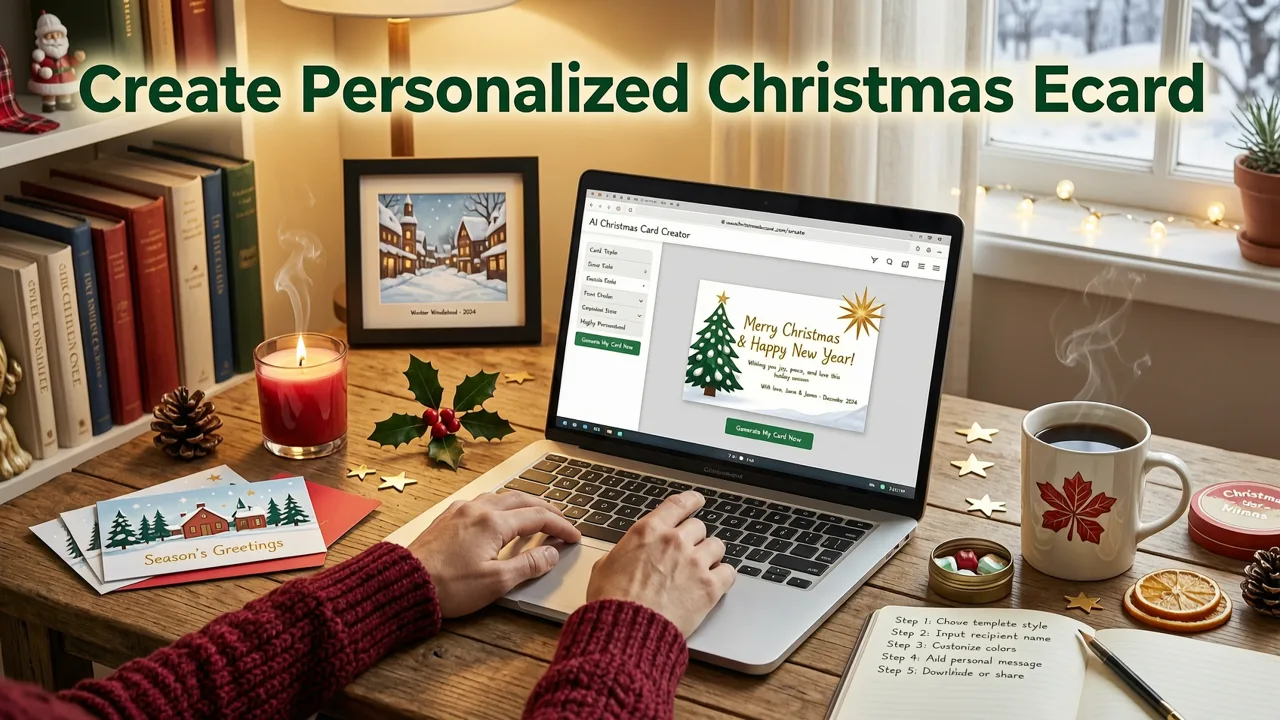
Here's the exact workflow for creating a polished, personalized Christmas ecard using an AI invitation maker like Inviteos:
Step 1: Choose Your Card Format and Size
Most digital ecards are shared as images or short video clips optimized for mobile screens. A vertical format (1080 × 1920 px) works best for Instagram Stories, WhatsApp, and iMessage. A square format (1080 × 1080 px) fits Instagram feeds and Facebook posts. If you plan to print any copies, a standard 5×7 inch layout gives you the most flexibility — the same format used for AI wedding invitation templates and other print-ready stationery.
Step 2: Pick a Christmas Template That Matches Your Vibe
Browse the holiday template library and filter by style: classic red and green, modern minimalist, watercolor, vintage, humorous, faith-based, or corporate-branded. In 2026, AI template engines surface designs based on your past preferences and the occasion type, so you'll see the most relevant options first.
Step 3: Add Your Personal Details
Replace the placeholder text with your family name, a custom message, and the year. Upload a photo — the AI will auto-crop and adjust lighting to fit the template frame. Many platforms now offer one-click background removal, so you can place any photo onto a snowy backdrop or fireplace scene without Photoshop.
Step 4: Customize Colors, Fonts, and Layout
Want to match your card to your brand colors? Swap the palette in two taps. Prefer a specific font? Most AI editors in 2026 support hundreds of typefaces, including handwritten scripts that look authentic on screen. If you need a non-standard size for a specific platform or print requirement, you can use a custom size upload feature to get exact dimensions.
Step 5: Preview, Download, and Send
Use the real-time preview to see exactly what your recipients will see. Download as a high-resolution PNG, MP4 (for animated cards), or PDF. Then share directly via text, email, WhatsApp, or any social platform — or embed it in a newsletter for business use.
Personalized Christmas Ecard Ideas for Every Recipient
Not sure what style fits whom? Here's a quick-reference guide to help you match the right card to the right person:
| Recipient | Recommended Style | Personalization Tips | Best Format |
|---|---|---|---|
| Parents & Grandparents | Classic, warm, photo-heavy | Include a recent family photo and a handwritten-style message | Vertical image or short video |
| Close Friends | Humorous, pop-culture, casual | Inside jokes, funny photos, GIF-style animations | Square image or animated MP4 |
| Clients & Business Partners | Clean, branded, professional | Company logo, brand colors, a sincere thank-you note | Horizontal image or PDF |
| Teachers & Service Providers | Warm, appreciative, simple | A short note of gratitude with your child's name or photo | Vertical image |
| Large Group (Neighbors, Team, Club) | Festive, inclusive, general | Group photo or illustrated scene; keep message universal | Square image for social sharing |
Animated vs. Static: Which Format Works Best in 2026?
The debate between animated and static Christmas ecards has shifted in recent years. Here's the current landscape:
Static Image Cards
Best for email, printing, and recipients who prefer simplicity. Static cards load instantly on any device, look sharp at any resolution, and are easy to save as a wallpaper or print for the fridge. They're ideal for formal business greetings and older recipients who may not autoplay video.
Animated and Video Cards
Best for social media sharing, text messages, and recipients who appreciate a bit of flair. In 2026, AI tools can generate subtle animations — falling snow, flickering candlelight, a gentle zoom on your photo — without the file becoming too large to send. Short video ecards (5–15 seconds) perform exceptionally well on WhatsApp and Instagram.
The smart approach? Create one design and export it in both formats. Most AI invitation makers let you toggle between static and animated output from the same project.
Business Uses for Personalized Christmas Ecards
If you run a small business, freelance practice, or manage client relationships, a personalized Christmas ecard is one of the highest-ROI marketing touches you can make in December. Here's why:
- Client retention — A branded holiday card keeps your business top-of-mind going into the new year.
- Cost efficiency — Digital ecards cost a fraction of printed cards and postage, with no minimum order.
- Scalability — Send 10 or 10,000 with the same effort. Merge recipient names from a spreadsheet for a personal touch at scale.
- Brand consistency — Use your exact brand colors, logo, and typography for a cohesive look.
For businesses that also send event invitations throughout the year — product launches, holiday parties, anniversary celebrations — using the same platform for ecards and invitations keeps your workflow streamlined. You might even explore birthday invitation design ideas on the same tool to maintain brand consistency across all your celebrations.
Common Mistakes to Avoid When Sending Christmas Ecards
Even with great tools, a few missteps can undermine an otherwise thoughtful card. Watch out for these:
- Sending too late. Aim to send personalized Christmas ecards between December 15 and December 23. After Christmas Day, the moment has passed.
- Using low-resolution photos. A pixelated family photo ruins an otherwise beautiful design. Upload images that are at least 1080 px on the longest side.
- Forgetting to proofread. Typos in names or messages are especially noticeable on a card meant to feel personal. Double-check every spelling.
- Ignoring accessibility. Ensure text is readable against the background. Avoid red-green text combinations that are difficult for colorblind recipients.
- Being overly generic. "Happy Holidays from Us" is fine, but adding even one specific detail — a reference to a shared memory, a wish for the year ahead — makes the difference between a card that's saved and one that's scrolled past.
How AI Is Changing Christmas Ecard Design in 2026
The AI tools powering platforms like Inviteos have evolved significantly. Today's AI doesn't just place your photo into a frame — it understands composition, color harmony, and emotional tone. According to Google's AI responsibility principles, these tools are designed to augment human creativity, not replace it. You provide the sentiment and the photo; the AI handles the layout, the color matching, and the resolution optimization.
Key AI capabilities now available in Christmas ecard makers include:
- Smart background removal — Isolate subjects from any photo and place them into festive scenes.
- AI message drafting — Describe the tone you want ("warm and funny," "formal and grateful") and get a suggested message you can edit.
- Auto-layout adjustment — The design adapts when you add or remove elements, keeping proportions balanced.
- Style transfer — Upload a photo and apply a watercolor, illustration, or vintage filter that matches your chosen template aesthetic.
These features are built on large language and image models documented in resources like the OpenAI documentation, refined for design-specific use cases. The result: a card that looks like it was made by a professional designer, even if you opened the tool for the first time five minutes ago.
Scheduling and Delivery: Making Sure Your Ecard Arrives at the Right Time
One of the biggest advantages of a digital ecard over a physical one is scheduling. Most AI invitation platforms let you set a future send date and time. Here are the optimal windows:
- December 1–14: Early senders. Great for business contacts and large distribution lists.
- December 15–23: Prime window. Most recipients appreciate cards arriving during the buildup to Christmas.
- December 24–25: The classic Christmas timing. Best for close family and friends.
- December 26–31: Late but still warm. Frame it as a "New Year" wish if sending after the 25th.
If your recipient list includes people who celebrate Hanukkah, Kwanzaa, or Winter Solstice, consider creating separate designs or using inclusive "Season's Greetings" language. Thoughtfulness about timing and language is the ultimate form of personalization.
Printing Your Personalized Christmas Ecard
Even though ecards are digital-first, many people still want a physical copy — to mail, to frame, or to tuck into a gift. If you plan to print, follow these guidelines:
- Export your design as a PDF at 300 DPI for crisp print quality.
- Use a standard size like 5×7 inches, which fits most envelopes and frames.
- Choose a matte or linen paper stock for a premium feel.
- Leave a 0.125-inch bleed on all sides if your design extends to the edge.
Most AI invitation makers, including Inviteos, generate print-ready files alongside digital versions — so you can send the ecard by text and mail a physical copy to Grandma, all from the same project.
Frequently Asked Questions
See the FAQ section below for quick answers to the most common questions about creating and sending personalized Christmas ecards in 2026.
Final Thoughts: Make This Year's Card the One They Keep
A personalized Christmas ecard is more than a digital nicety — it's a small act of thoughtfulness that cuts through the noise of a busy holiday season. With AI-powered tools, creating something beautiful, personal, and on-brand takes minutes, not hours. Whether you're sending one card to your mom or five hundred to your client list, the process is the same: pick a template, add your details, preview, and send.
This holiday season, skip the generic forwarded image. Create a personalized Christmas ecard that actually means something. Start designing yours today — your recipients will notice the difference.
Related Articles
Related posts


Next steps
Start on the homepage, or jump to the main CTA via contact. You can also explore localized pages like United Kingdom or Germany.