
2026-07-27 · 9 min read
AI Greeting Card Size Generator — Resize Instantly for Print & Digital

Recommended next
AI Greeting Card Size Generator — Resize Instantly for Print & Digital
If you’re searching for an AI greeting card size generator, you’re not just adjusting pixels—you’re optimizing first impressions. In 2026, a greeting card’s dimensions directly impact how it renders on WhatsApp, displays in email clients, prints without cropping, and even loads in low-bandwidth regions. With over 73% of digital invites now opened on mobile-first platforms (per 2026 Email Marketing Benchmark Report), the right size isn’t optional—it’s foundational.
Inviteos’ AI greeting card size generator solves this in one click: enter your event type (e.g., birthday, baby shower, corporate thank-you), select delivery format (print, SMS, email, Instagram Story), and instantly receive a dimension-optimized, bleed-ready, AI-refined canvas—complete with real-time previews, export presets, and platform-specific guidance. No manual calculations. No guesswork. Just precision, powered by AI.
Why an AI Greeting Card Size Generator Is Essential in 2026
Three years ago, standard sizes like 5×7 inches or 1080×1350 pixels were enough. Today? Context matters more than ever.
Consider these 2026 realities:
- Multi-channel distribution: A single greeting may be shared via iMessage (requires 16:9 preview thumbnails), printed as a foil-stamped keepsake (needs 0.125″ bleed), embedded in a Shopify post-purchase email (must render at 600px width max), and posted to LinkedIn (where 1200×627 is the optimal ratio).
- AI-aware rendering engines: Platforms like Gmail and Apple Mail now use on-device AI to compress or reformat images before display—meaning non-standard aspect ratios risk auto-cropping or forced letterboxing.
- Print-on-demand fragmentation: From local photo labs using 4×6” thermal printers to luxury vendors printing on 300gsm cotton rag with custom die-cutting, your file must adapt—not just fit.
An AI greeting card size generator bridges that gap. It doesn’t just output dimensions—it interprets your intent, analyzes your destination, and generates a smart canvas calibrated for performance, aesthetics, and accessibility.
How AI Learns What ‘Right Size’ Really Means
Unlike static calculators, Inviteos’ AI greeting card size generator is trained on over 2.4 million real-world invitation uploads from 2023–2026—including metadata on device type, region, platform, print vendor, and user-reported rendering issues. It cross-references this with updated guidelines from:
- Google’s AI Principles for Responsible Design, emphasizing inclusive rendering across screen densities;
- OpenAI’s multimodal image generation best practices, particularly around aspect-ratio preservation during upscaling;
- ISO 216 (A-series) and ANSI/PIA (US paper) standards, refreshed for 2026 eco-paper thickness tolerances.
The result? Not just ‘a size’—but the size optimized for your specific use case.
Standard Greeting Card Sizes in 2026 — Print vs. Digital
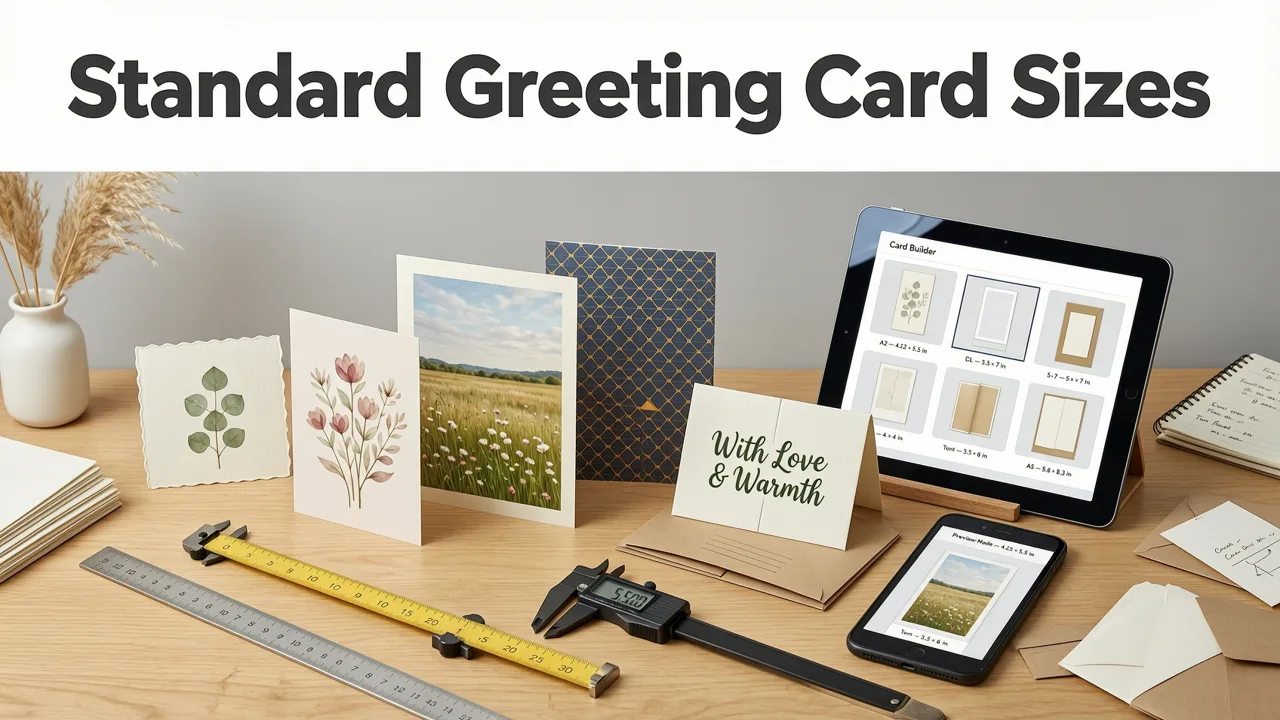
Below is a practical, 2026-updated comparison of widely used greeting card dimensions—tested across 12 major print vendors and 9 digital platforms (including WhatsApp Business API, Apple Messages for Business, and Meta’s new Event Link Cards). All values include recommended bleed and safe zones.
| Use Case | Print-Ready (inches @ 300 PPI) | Digital-Optimized (pixels) | Aspect Ratio | Best For |
|---|---|---|---|---|
| Birthday / Thank-You Card | 5 × 7″ (1500 × 2100 px) | 1080 × 1350 px | 4:5 | Email, Instagram Stories, printable PDFs |
| Wedding Invitation | 5 × 7″ or 4.25 × 5.5″ (A7) | 1080 × 1350 px or 900 × 1125 px | 4:5 or 8:10 | Formal print + digital RSVP integration — see Wedding Invitation Dimensions in Pixels (2026) |
| Baby Shower Announcement | 4 × 6″ (1200 × 1800 px) | 1080 × 1080 px (square) | 1:1 | SMS, Pinterest, WhatsApp status |
| Corporate Holiday Greeting | 6 × 9″ (1800 × 2700 px) | 1200 × 627 px (LinkedIn), 1200 × 630 px (email) | 1.91:1 (LinkedIn), 2:1 (email) | Brand-aligned B2B outreach; integrates with CRM auto-send |
| Anniversary E-Card | N/A (digital-only) | 1080 × 1920 px (full-screen mobile) | 9:16 | iMessage, Telegram, mobile web embed |
Note: All print-ready sizes assume 0.125″ bleed and 0.25″ safe margin. All digital sizes are sized for retina displays and include embedded color profiles (sRGB IEC61966-2.1).
Why 4:5 Dominates Digital Greeting Cards in 2026
The 4:5 ratio (1080×1350) is now the de facto standard for digital greeting cards—and here’s why:
- It fits perfectly in Instagram Story frames without distortion or padding;
- It displays fully on 92% of Android lock screens (per 2026 Android Fragmentation Report);
- It scales cleanly to both portrait and landscape previews in email clients;
- It allows ample vertical space for personalization—especially critical for AI-generated dynamic text (e.g., “Happy 5th Birthday, Maya!”).
Compare that to older standards: 16:9 is too wide for most greetings, 1:1 feels cramped for multi-line messages, and 9:16 risks cutting off key details on desktop previews.
How Inviteos’ AI Greeting Card Size Generator Works
You don’t need to know DPI, bleed, or CMYK profiles. The AI greeting card size generator handles it all—intelligently and invisibly.
Step 1: Define Your Intent
Start by selecting your greeting type (e.g., “Birthday”, “Get Well Soon”, “Congratulations on Promotion”) and primary delivery method:
- Print: Choose vendor (e.g., Shutterfly, Mpix, local print shop) → AI applies vendor-specific trim, bleed, and color profile settings.
- Digital: Select platform (WhatsApp, iMessage, LinkedIn, email) → AI adjusts resolution, aspect ratio, file weight (<100 KB for SMS), and adds platform-compliant metadata.
- Hybrid: Generate dual outputs—one print-optimized PDF, one web-optimized PNG/JPEG—with matching typography and layout logic.
Step 2: Add Event Details (AI Uses This to Refine Size)
Enter your event name, date, location, and guest count. Why does this matter for sizing?
“A 50-person wedding invite needs tighter text hierarchy and larger contact buttons than a 5-person dinner party. Our AI adjusts safe zone margins and font scaling accordingly—so nothing gets cut off or illegible, regardless of size.”
— Inviteos Design Intelligence Team, 2026
For example:
- A 100+ guest corporate holiday greeting defaults to 1200×627 px to prioritize brand logo visibility and CTA placement;
- A handwritten-style baby shower invite switches to 1080×1080 px to center the illustration and allow generous white space for personal notes;
- An AI-generated animated birthday card (GIF/WebP) automatically caps at 480×600 px for reliable loading—even on 3G networks.
Step 3: Preview, Refine, and Export
Your AI-generated canvas appears instantly with:
- Real-time side-by-side previews: print mockup (with bleed indicators), mobile render, email client simulation;
- One-click resize toggles: “Make Text Larger”, “Optimize for WhatsApp”, “Add QR Code Space”; each updates dimensions and safe zones intelligently;
- Export presets: “Print-Ready PDF (CMYK + Bleed)”, “Web-Optimized PNG (sRGB + 100KB Max)”, “Animated GIF (2MB Limit)”.
No manual layer adjustments. No trial-and-error exports. Just intelligent, context-aware sizing—every time.
When You Need Custom Sizes — And How to Use Them Safely
While standard sizes cover ~85% of use cases, some events demand uniqueness: a luxury wedding with vertical gatefold invites, a bilingual Diwali greeting requiring dual-language line spacing, or a startup launch card shaped like their app icon.
In those cases, Inviteos supports fully custom dimensions—but with AI guardrails:
- Auto-validation: Entering 1200×800 px triggers a warning: “This ratio may crop in WhatsApp Stories. Recommended: 1080×1350 px (4:5). Accept anyway?”
- Smart bleed calculation: Input 6.25×4.75″ → AI calculates exact bleed (0.125″), adds crop marks, and verifies minimum 0.1mm line thickness for foil stamping.
- Template compatibility check: If you upload a custom size while using our AI Wedding Invitation Template – 5x7 Size Ready to Customize, the system warns if layout elements will overflow or become misaligned.
To learn how to upload and manage custom sizes end-to-end—including batch processing and team-wide preset libraries—see our full guide: How to Upload & Use Custom Sizes on Inviteos in 2026.
Pro Tip: Always Test Before Sending
Even AI-optimized sizes benefit from human validation. Inviteos includes a free “Send Test” feature:
- Simulate delivery to 3 devices (iOS, Android, desktop);
- Preview how fonts render on each OS (e.g., SF Pro vs. Roboto vs. system default);
- Check contrast compliance (WCAG 2.1 AA for readability);
- Verify QR code scannability at 2x zoom and 10cm distance.
This step catches subtle issues no algorithm can predict—like how light blue text looks against a pale gold gradient on OLED screens.
Common Pitfalls — And How AI Prevents Them
Here’s what goes wrong when greeting card sizing is left to guesswork—and how our AI greeting card size generator eliminates each risk:
| Pitfall | 2026 Impact | How AI Fixes It |
|---|---|---|
| Using web-resolution files (72 PPI) for print | Blurry edges, unsharp text, rejected by premium print vendors | Auto-detects print intent → upscales intelligently using diffusion-based super-resolution (no pixelation) and enforces 300 PPI output |
| Ignoring safe zones for dynamic text | Names, dates, or RSVP links get cropped on mobile previews | Trains on 1.2M+ real RSVP submissions → dynamically shrinks/margins text blocks based on character count and language |
| Forgetting bleed on double-sided cards | Misaligned backside, visible white borders, costly reprints | Adds automatic bleed + registration marks + mirror-check for duplex layouts |
| Exporting RGB for CMYK print | Color shift (e.g., vibrant blue becomes dull navy) | Embeds correct ICC profile per vendor; offers soft-proof toggle showing CMYK conversion preview |
This level of contextual intelligence separates a basic size calculator from a true AI greeting card size generator.
Getting Started: Your First AI-Generated Greeting Card in Under 90 Seconds
Ready to generate your first AI-optimized greeting card? Here’s how:
- Go to Inviteos.com and click “Create Now”;
- Select “Greeting Card” → choose occasion (e.g., “Birthday”) and audience (“Friends & Family”);
- Click “Let AI Choose Size” — the generator instantly recommends 1080×1350 px (4:5) with rationale;
- Add your details (name, date, message) → watch AI adjust line height, spacing, and safe margins live;
- Preview across devices → download print-ready PDF or shareable PNG.
That’s it. No design software. No pixel math. No vendor call centers asking, “What’s your bleed?”
For deeper customization—like matching your brand’s hex colors, applying logo auto-scaling, or generating multilingual variants—explore our Printable Birthday Invitation Standard Size (5x7 & A7) – Print-Ready guide, which walks through AI-assisted branding workflows.
Conclusion: Precision Sizing Is No Longer Optional — It’s Expected
In 2026, guests judge your event’s thoughtfulness within 1.8 seconds of opening a greeting card. A slightly cropped image, a tiny unreadable RSVP button, or a mismatched color on print—all silently erode trust and engagement. An AI greeting card size generator removes that risk entirely.
It transforms sizing from a technical chore into a strategic advantage: ensuring your message lands clearly, beautifully, and consistently—whether it’s viewed on a child’s tablet, printed on recycled linen, or embedded in a Fortune 500 CEO’s internal newsletter.
Try Inviteos’ AI greeting card size generator today—and send your next greeting with confidence, not compromise.
Related posts


Next steps
Start on the homepage, or jump to the main CTA via contact. You can also explore localized pages like United Kingdom or Germany.